Basic Docker Commands Labs
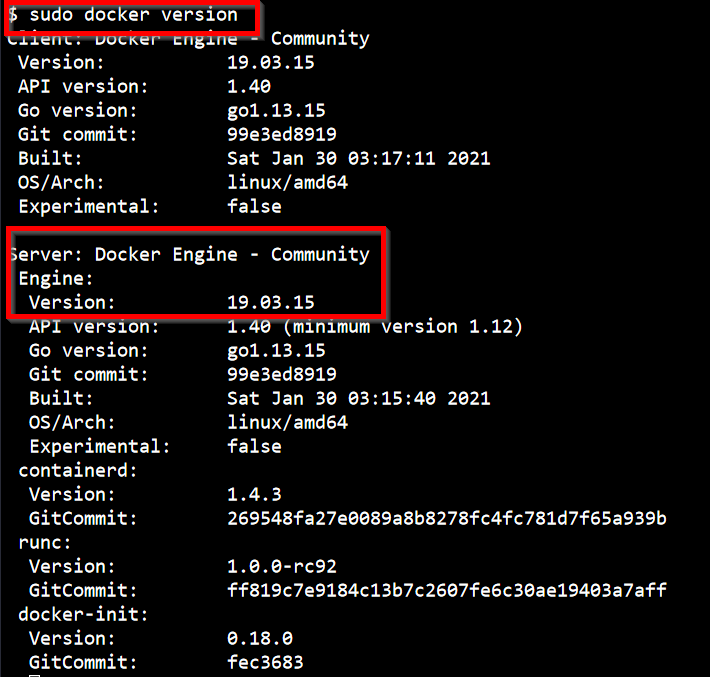
- What is the version of Docker Server Engine running on the Host?
sudo docker version
- How many containers are running on this host?
sudo docker ps

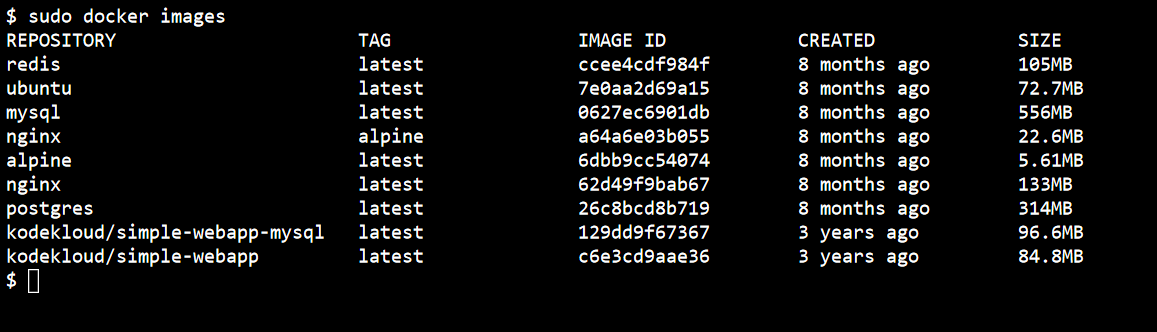
- How many images are available on this host
sudo docker images
- Run a container using the redis image
sudo docker run redis

- Stop the container you just created
sudo docker ps
sudo docker stop f72f85

- How many containers are RUNNING on this host now?
sudo docker ps

- How many containers are RUNNING on this host now?
sudo docker ps

- How many containers are PRESENT on the host now? Including both Running and Not Running ones
sudo docker ps -a

- What is the image used to run the nginx-1 container?
sudo docker ps

- What is the name of the container created using the ubuntu image?
sudo docker ps -a

- What is the ID of the container that uses the alpine image and is not running?
sudo docker ps -a

- What is the state of the stopped alpine container?
sudo docker ps -a

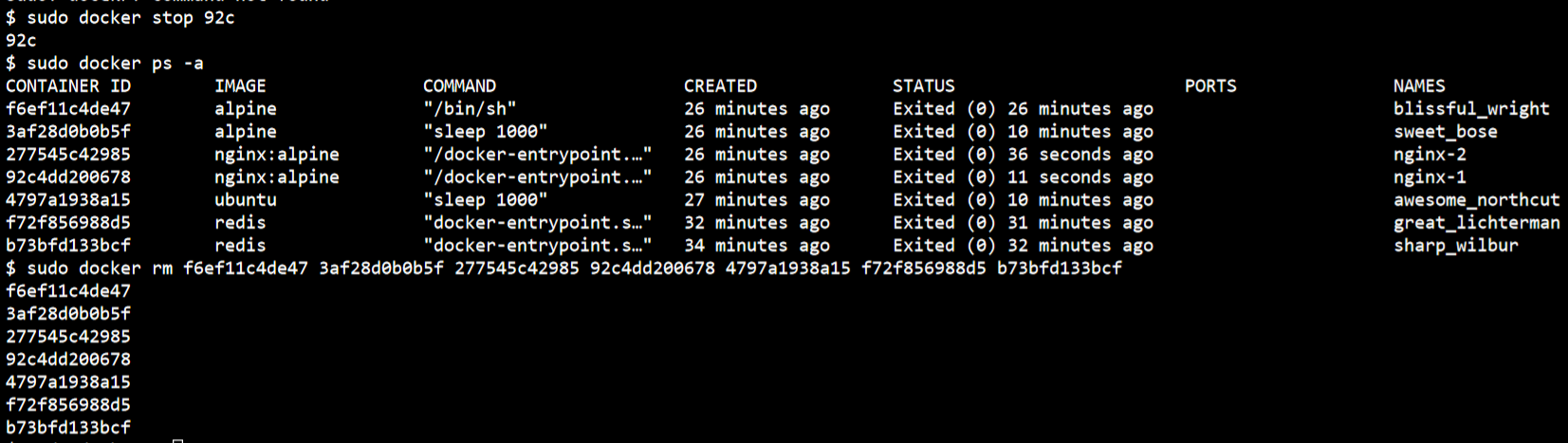
- Delete all containers from the Docker Host. Both Running and Not Running ones. Remember you may have to stop containers before deleting them.
sudo docker ps -a
sudo docker stop 2775
sudo docker stop 92c
sudo docker rm f6ef11c4de47 3af28d0b0b5f 277545c42985 92c4dd200678 4797a1938a15 f72f856988d5 b73bfd133bcf


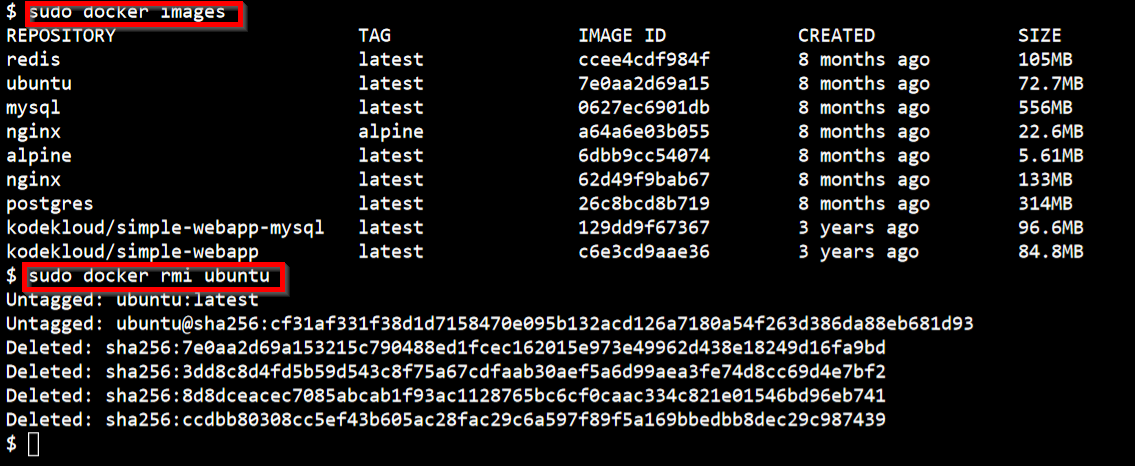
- Delete the ubuntu Image
sudo docker images
sudo docker rmi ubuntu
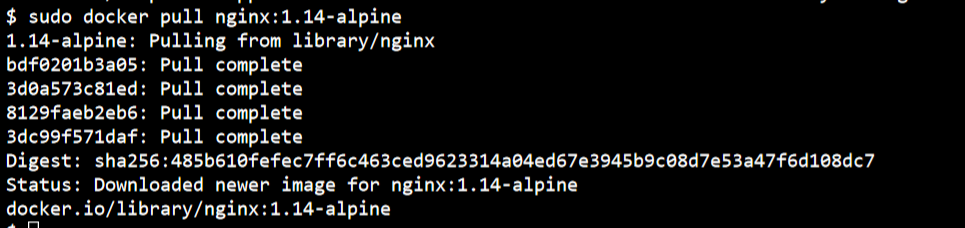
- You are required to pull a docker image which will be used to run a container later. Pull the image nginx:1.14-alpine Only pull the image, do not create a container.
sudo docker pull nginx:1.14-alpine
- Run a container with the nginx:1.14-alpine image and name it webapp
docker run -d --name webapp nginx:1.14-alpine

- Cleanup: Delete all images on the host Remove containers as necessary
sudo docker ps
sudo docker stop ecb
sudo docker ps -a
sudo docker rm ecb
sudo docker images
sudo docker rmi redis mysql nginx alpine postgres kodekloud/simple-webapp-mysql kodekloud/simple-webapp nginx:1.14-alpine nginx:alpine